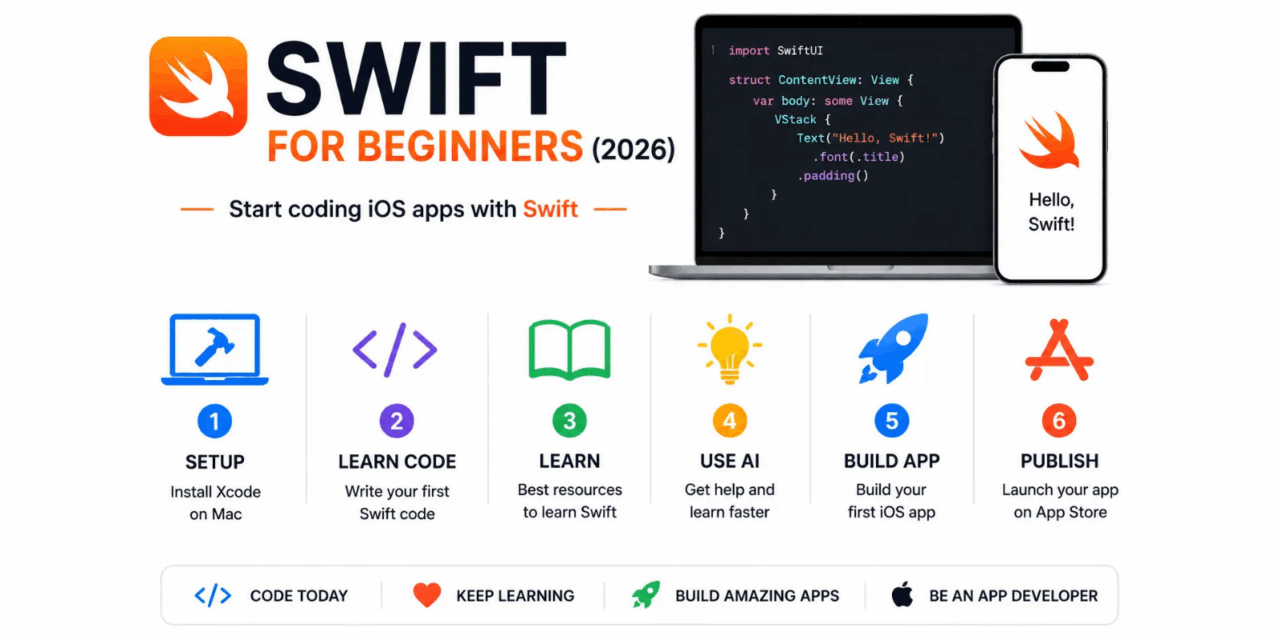
Swift is Apple’s programming language for building iPhone, iPad, Mac, Apple Watch, and Apple TV applications. Launched in 2014 as a replacement for Objective-C, Swift has become one of the most pleasant and readable programming languages for beginners in 2026, with modern syntax that reads almost like natural English and a type system that catches mistakes before your code runs rather than crashing when a user is looking. This guide covers everything a complete beginner needs to start writing Swift in 2026.
Why Learn Swift in 2026
Swift is the best choice for building applications specifically for Apple devices – iPhone, iPad, Mac, Apple Watch, and Apple TV. If your goal is to build iOS apps and distribute them through the App Store, Swift is the language your code should be written in. The performance is excellent, the Apple developer community is large and active, and the tooling in Xcode makes building iOS apps significantly more productive than most competing development environments.
If your goal is cross-platform mobile development – building for both iOS and Android simultaneously – Flutter with Dart or React Native with JavaScript are more appropriate choices that share code across both platforms. Swift is the right choice when the iOS ecosystem specifically is your target and you want the deepest integration with Apple’s frameworks and hardware capabilities.
Setting Up Your Development Environment
Swift development requires a Mac – this is one of the definitive limitations of native iOS development. You cannot build iOS applications without a Mac running Xcode, Apple’s development environment. If you do not have a Mac, consider renting one through services like MacStadium while evaluating whether iOS development is the right path for you.
- Download Xcode free from the Mac App Store – search for Xcode and install the current stable version, which as of June 2026 is Xcode 16
- Xcode includes the Swift compiler, the iOS Simulator for testing your apps without a physical device, and all required Apple development frameworks
- Create a free Apple Developer account at developer.apple.com – this is required to run apps on your physical iPhone and to publish to the App Store
- Install the Swift Playgrounds app on your iPhone or iPad for learning Swift concepts outside of the full Xcode environment
Download Xcode from the Mac App Store. Create your developer account at developer.apple.com.
Your First Swift Code
Swift’s syntax is designed to be readable even before you fully understand every concept. A few foundational elements to learn first:
- Variables and constants – var for values that can change, let for values that cannot. let name = John declares a constant string. var score = 0 declares a variable integer
- Functions – func greet(name: String) -> String { return Hello, name } declares a function that takes a name and returns a greeting string
- Optionals – Swift requires you to explicitly handle the possibility that a value might be absent, using the question mark syntax. This catches a whole category of crashes that happen silently in other languages
- Structs and classes – Swift uses both for organising code into logical objects with properties and methods. Structs are value types, classes are reference types – understanding the difference matters for how your code behaves
Best Learning Resources for Swift in 2026
- Swift Playgrounds – Apple’s free learning app that teaches Swift concepts through interactive puzzles on iPad. The best starting point for absolute beginners because it removes the complexity of Xcode while teaching real Swift syntax
- 100 Days of SwiftUI by Paul Hudson at hackingwithswift.com – the most structured and widely recommended free Swift curriculum available in 2026, covering a complete SwiftUI app development course across one hundred daily lessons
- Apple’s official Develop in Swift curriculum at developer.apple.com – comprehensive, free, and maintained by Apple to stay current with the latest Swift and SwiftUI releases
- The Swift Programming Language book – Apple’s official Swift language reference, available free at docs.swift.org, authoritative for language details when documentation from tutorials is insufficient
Access Swift Playgrounds on the App Store. Start the 100 Days of SwiftUI course at www.hackingwithswift.com. Read the official language guide at docs.swift.org.
Using AI to Accelerate Swift Learning in 2026
Learning Swift in 2026 with AI assistance is significantly faster than learning without it. When you encounter a concept you do not understand – optionals, closures, generics, protocol conformance – ask Claude or ChatGPT to explain it with a specific example using code you are currently looking at. The contextual explanation, tailored to your specific code and your current level of understanding, is more immediately applicable than a generic tutorial section.
Use AI assistants to explain error messages when your code does not compile. Paste the error and your code and ask what is wrong and why – the explanation of why the error occurs is more valuable for learning than just being given the fix. When using Cursor as your code editor, the in-editor AI assistance provides suggestions within the Swift code context that understand your entire project structure rather than just the current file.
Use Claude for Swift explanations at www.claude.ai. Use Cursor for AI-assisted Swift development at www.cursor.com.
Building Your First App – What to Build
The best first Swift app is one that solves a problem you personally have, that you will actually use, and that has a clear and limited scope. Avoid starting with a comprehensive multi-feature app – choose one screen and one core function. Common well-scoped first projects include a personal task list, a habit tracker, a simple calculator, or a random number generator – none of which require complex data persistence or network calls for the basic version.
Follow the approach of getting the absolute minimum version working and running on your iPhone simulator first, then adding features one at a time. The temptation to design everything before coding anything produces analysis paralysis – write code that does one thing, see it work, then expand.
From First App to App Store
Publishing your first app to the App Store requires a paid Apple Developer Program membership at ninety-nine dollars per year. The review process typically takes one to three business days for simple apps. Before submitting, read the App Store Review Guidelines thoroughly – most first-submission rejections cite guidelines that were available to read in advance.
Setting realistic expectations for your first publication: most first apps receive very few downloads from organic discovery. The value of publishing your first app is the experience of completing the full development cycle – from idea to code to App Store listing – rather than the expectation of significant adoption. Each app you publish builds the knowledge and confidence that makes the next one better.
Manage your App Store submissions through appstoreconnect.apple.com.