Apple has been pushing SwiftUI hard since its introduction, and by 2026 it’s genuinely capable enough to build most consumer apps entirely within it without ever dropping down into older APIs, but the debate over whether to learn SwiftUI or UIKit first still comes up constantly among new iOS developers browsing forums and job listings. The honest answer isn’t a clean either-or the way some tutorials frame it, both frameworks have a real and legitimate place depending on the kind of app being built, the team it’s being built for, and how much legacy code that team is already maintaining. Here’s a practical breakdown rather than a hype-driven one, aimed at developers trying to figure out where to actually spend their limited learning time.
Where SwiftUI Wins
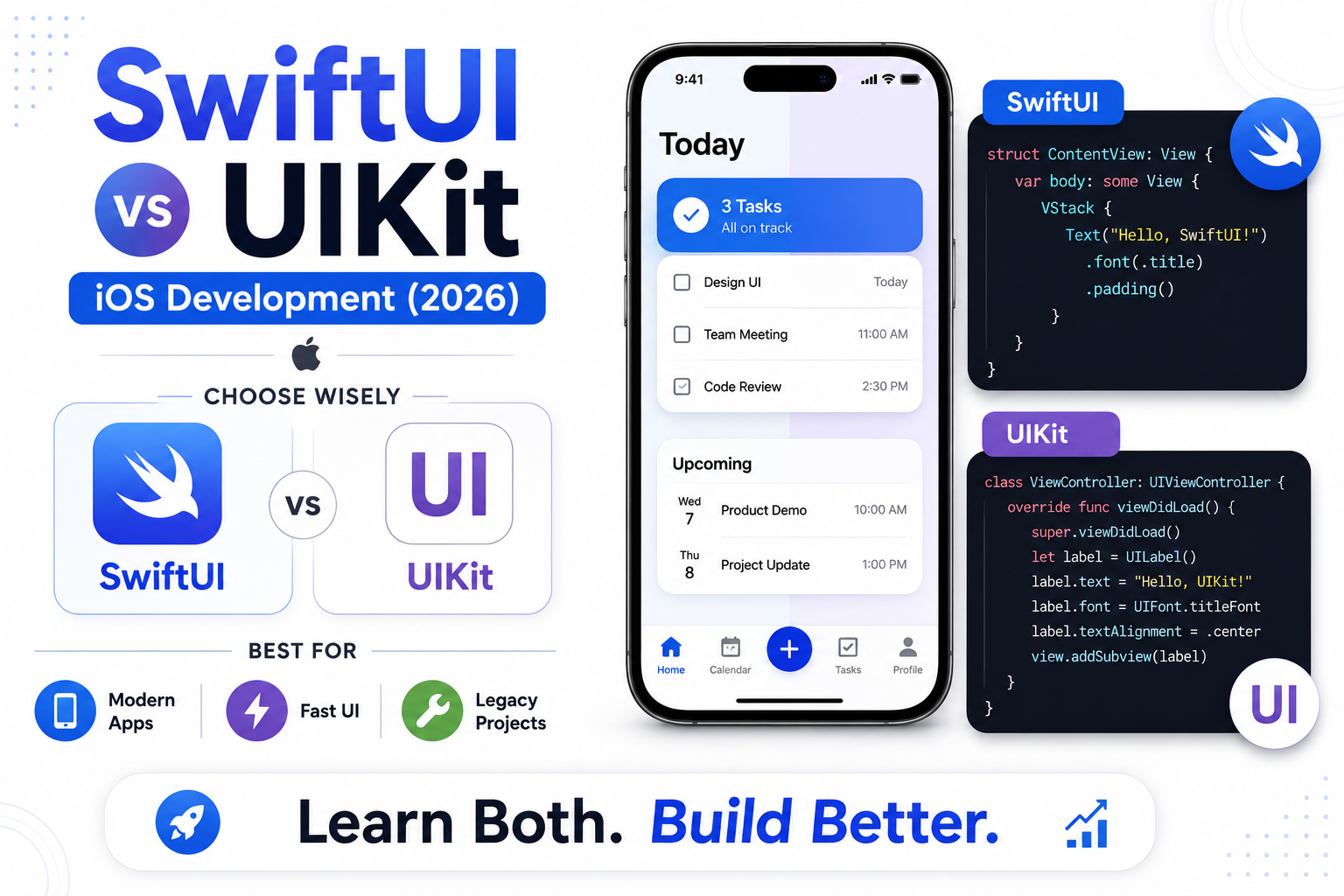
SwiftUI’s declarative syntax dramatically cuts boilerplate for standard interfaces, and its live preview canvas speeds up iteration significantly compared to UIKit’s slower build-and-run cycle, making it the noticeably faster choice for most new screens being built today from a blank slate.
Where UIKit Still Matters
UIKit remains the more predictable choice for complex custom animations, precise pixel-level layout control, and large legacy codebases already written in it, where SwiftUI’s higher-level abstraction occasionally still gets in the way of the fine-grained control a project genuinely needs.
Interoperability Is the Real Answer
Most production apps in 2026 use both frameworks side by side through UIViewRepresentable and UIHostingController bridges, meaning developers rarely have to choose exclusively between them, they mix and match based on which specific screen is being built at any given moment.
What New Developers Should Actually Learn
New iOS developers are generally better served starting with SwiftUI given Apple’s clear long-term investment and continued feature parity work, then picking up UIKit fundamentals once they hit a wall SwiftUI genuinely can’t solve cleanly, which tends to happen sooner in real projects than most beginner tutorials ever suggest.
Team context tends to matter more than personal framework preference when deciding where to invest learning time. Developers joining a team maintaining a large, years-old UIKit codebase will get more immediate practical value from strong UIKit fundamentals than from SwiftUI mastery, regardless of what Apple’s own sample code emphasizes in its documentation. Startups and greenfield projects, on the other hand, increasingly default to SwiftUI-first architecture, making it the more directly employable skill for developers targeting early-stage companies. Freelancers and contractors arguably benefit most from being competent in both, since client codebases vary wildly in age and architecture, and turning down work over a framework gap is a genuinely avoidable problem. Reading Apple’s own sample projects alongside real open-source SwiftUI codebases tends to reveal the practical rough edges far faster than official documentation alone, particularly around list performance and complex navigation stacks where SwiftUI’s abstractions have historically hidden real bugs until an app scales past a simple demo. This gap tends to close a little more with each yearly Apple release, but it hasn’t fully closed yet, so treating SwiftUI as universally production-ready for every screen type is still a mistake worth avoiding on larger, more demanding apps.
SwiftUI is no longer the immature younger sibling it was a few years ago when developers rightly complained about missing features, but UIKit knowledge still pays off noticeably for anyone working on established codebases or highly custom, animation-heavy interfaces. The most employable iOS developers in 2026 are comfortable moving fluidly between both rather than treating this as a permanent, one-time choice between rival camps.