
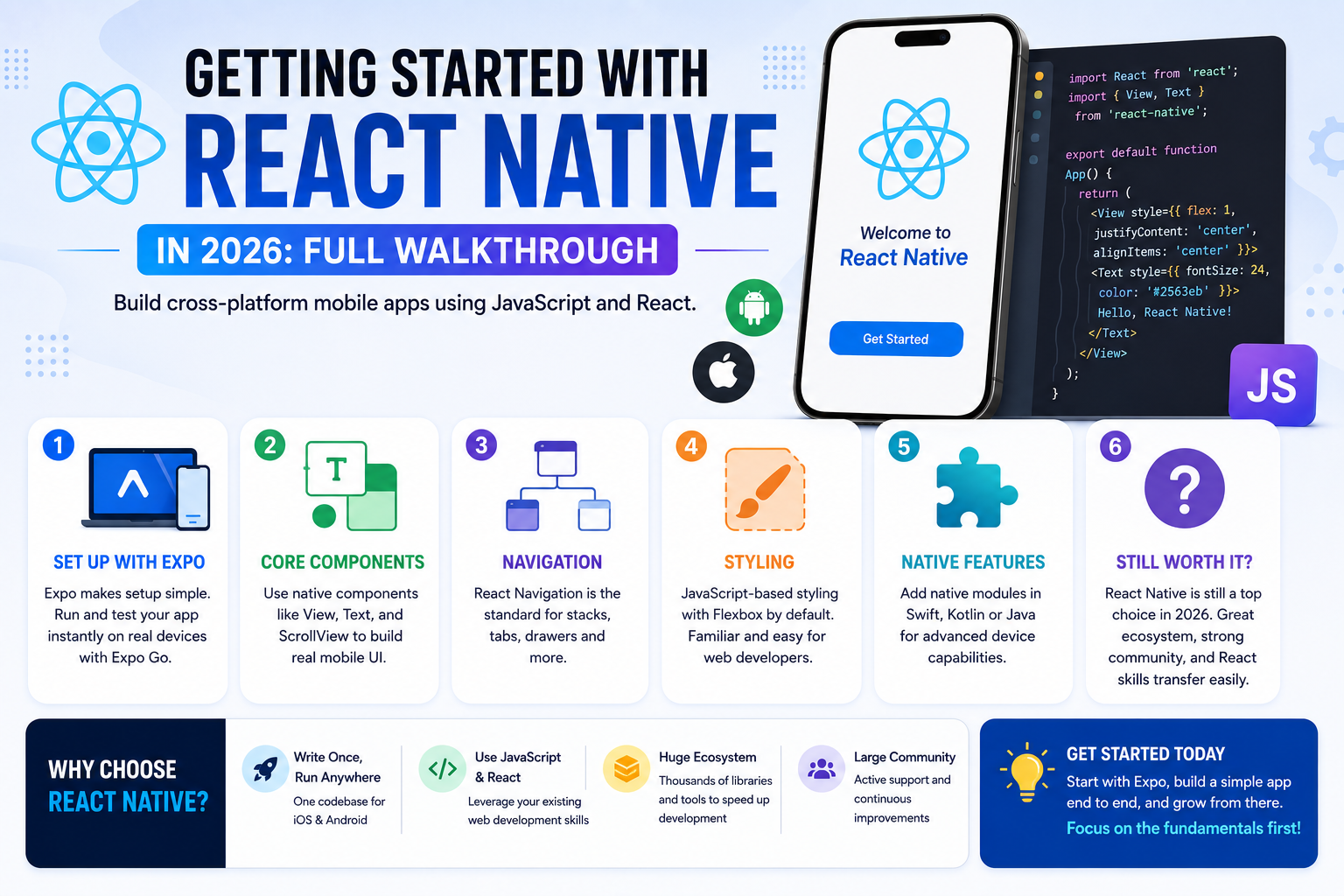
React Native has remained one of the most widely adopted frameworks for building cross-platform mobile apps using JavaScript, letting web developers apply existing React knowledge to mobile development without learning an entirely new language from scratch. For developers already comfortable with React on the web, the transition to React Native involves learning new mobile-specific components and navigation patterns rather than a completely different mental model, which keeps the learning curve genuinely manageable. The ecosystem has also matured considerably since the framework’s early years, with tooling that removes much of the native configuration pain that once made getting started genuinely frustrating. Here’s a practical walkthrough covering what you need to know to get a first React Native app running in 2026.
Setting Up Your Development Environment
Expo has become the recommended starting point for most new React Native projects, handling much of the native build configuration automatically and letting developers preview apps instantly on a physical device through the Expo Go app without complex native tooling setup.
Understanding Core Components
React Native swaps HTML elements for mobile-specific components like View, Text, and ScrollView, which map conceptually to familiar web elements but render as genuine native UI components rather than webviews, which is core to why apps built this way feel and perform like real native apps.
Navigation Patterns
React Navigation has become the de facto standard for handling screen transitions, tab bars, and stack-based navigation, and learning its core patterns early prevents having to restructure an app’s navigation later as it grows more complex.
Styling Differences from Web CSS
React Native uses a JavaScript-based styling system that mirrors CSS conceptually but isn’t identical, using Flexbox as the default layout model, which web developers already familiar with Flexbox will find genuinely intuitive to pick up quickly.
Bridging to Native Code When Needed
For features that pure JavaScript can’t handle, certain hardware integrations or performance-critical operations, React Native allows writing native modules in Swift, Kotlin, or Java, though most beginner and even many production apps never actually need to touch this layer directly.
Is React Native Still the Right Choice in 2026
React Native continues to compete primarily with Flutter for cross-platform development mindshare, and the choice between them often comes down to existing team expertise more than any decisive technical advantage, JavaScript and React experience points naturally toward React Native, while teams without that background may find Flutter’s Dart language and widget system equally approachable starting fresh. React Native’s larger, more mature ecosystem of third-party libraries remains a genuine advantage for projects needing extensive pre-built functionality, while its tighter alignment with existing web development skills makes it a particularly efficient choice for teams already running a React-based web product alongside their mobile app. That shared codebase familiarity often shortens onboarding time for new developers joining an existing team considerably compared to picking up an entirely unfamiliar framework from scratch.
React Native’s core promise, write once in JavaScript and ship to both iOS and Android, remains genuinely compelling in 2026, particularly for teams with existing React expertise looking to extend into mobile without a full separate native development team. Start with Expo for your first project rather than a bare React Native setup, the simplified tooling removes a huge amount of early friction that used to make React Native’s learning curve steeper than it needs to be today. Build a genuinely simple app end to end before attempting anything with native modules, the fundamentals matter far more than advanced features at this early stage.